One tap. Back to practice.
Tap Made or Missed after each attempt. Keep count from your wrist, then get ready for the next one.
Practice, counted.
Track makes, misses, and your make rate from your wrist. Set your distance, record each attempt, and keep your attention on practice—not your phone.
See how it worksIn development for Zepp OS watches
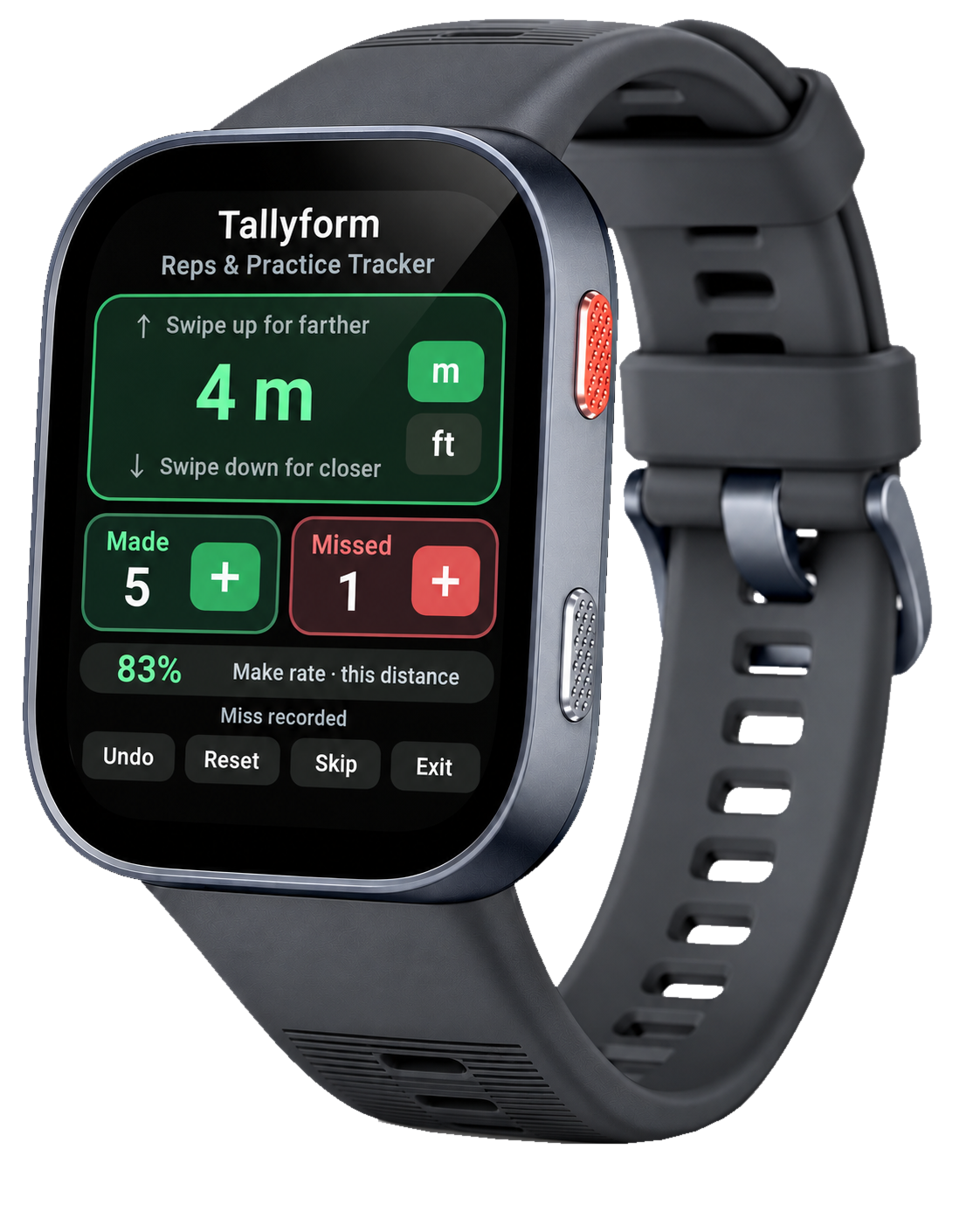
Less distraction. More practice.
The numbers you need, right where you need them. Simple controls keep you close to the task at hand.
Tap Made or Missed after each attempt. Keep count from your wrist, then get ready for the next one.
See your makes, misses, and make rate for the distance you’ve selected. A clear picture of this part of your practice.
Swipe up for farther, down for closer. Choose metres or feet and practise at the distance that works for you.
Undo removes your last recorded attempt. Correct a slip, then carry on with your practice.
How it works
A simple rhythm for your practice.
Choose metres or feet. Swipe to adjust how far you’re practising from.
Tap the plus beside Made or Missed after each attempt. Undo the last one if you need to.
Glance at your percentage for the selected distance. Then focus on your next attempt.
Keep your head in practice.
Tallyform keeps the count.